wanx-troopers
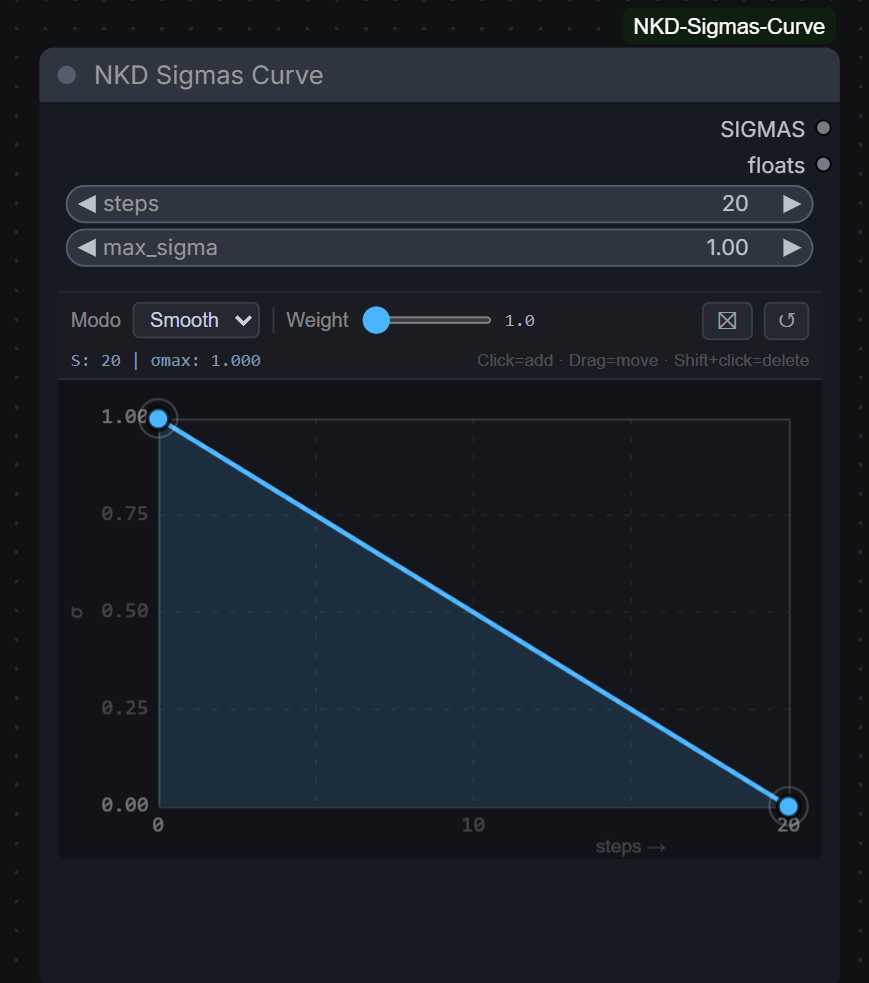
Sigmas
2026.05
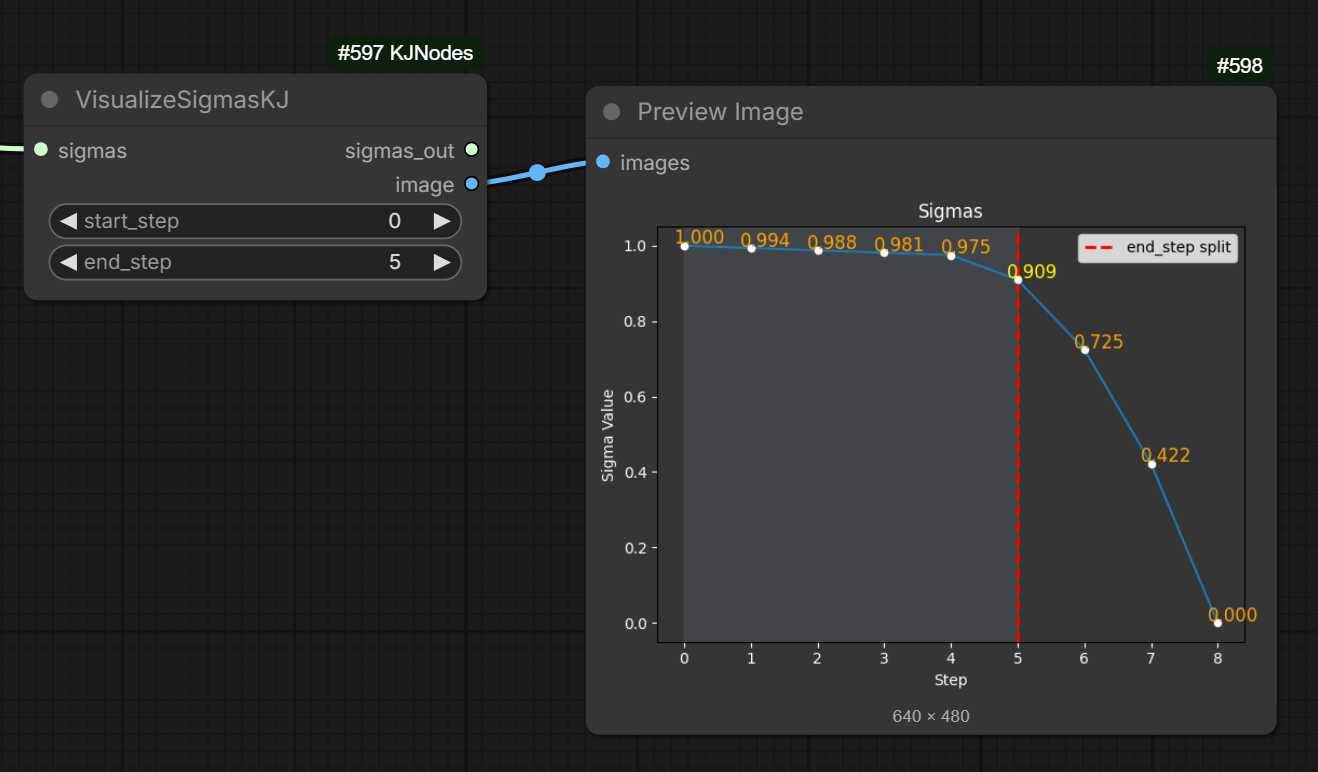
2026.04
Native comfy?
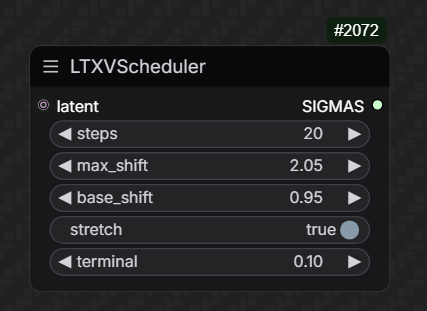
Nekodificator:
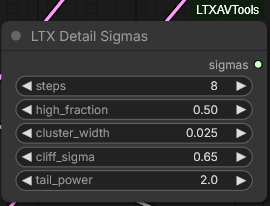
2025.12.13 Part A
Kijai is preparing V2 series of nodes for ComfyUI. Here’s a peek preview of WanVideo Scheduler v2:
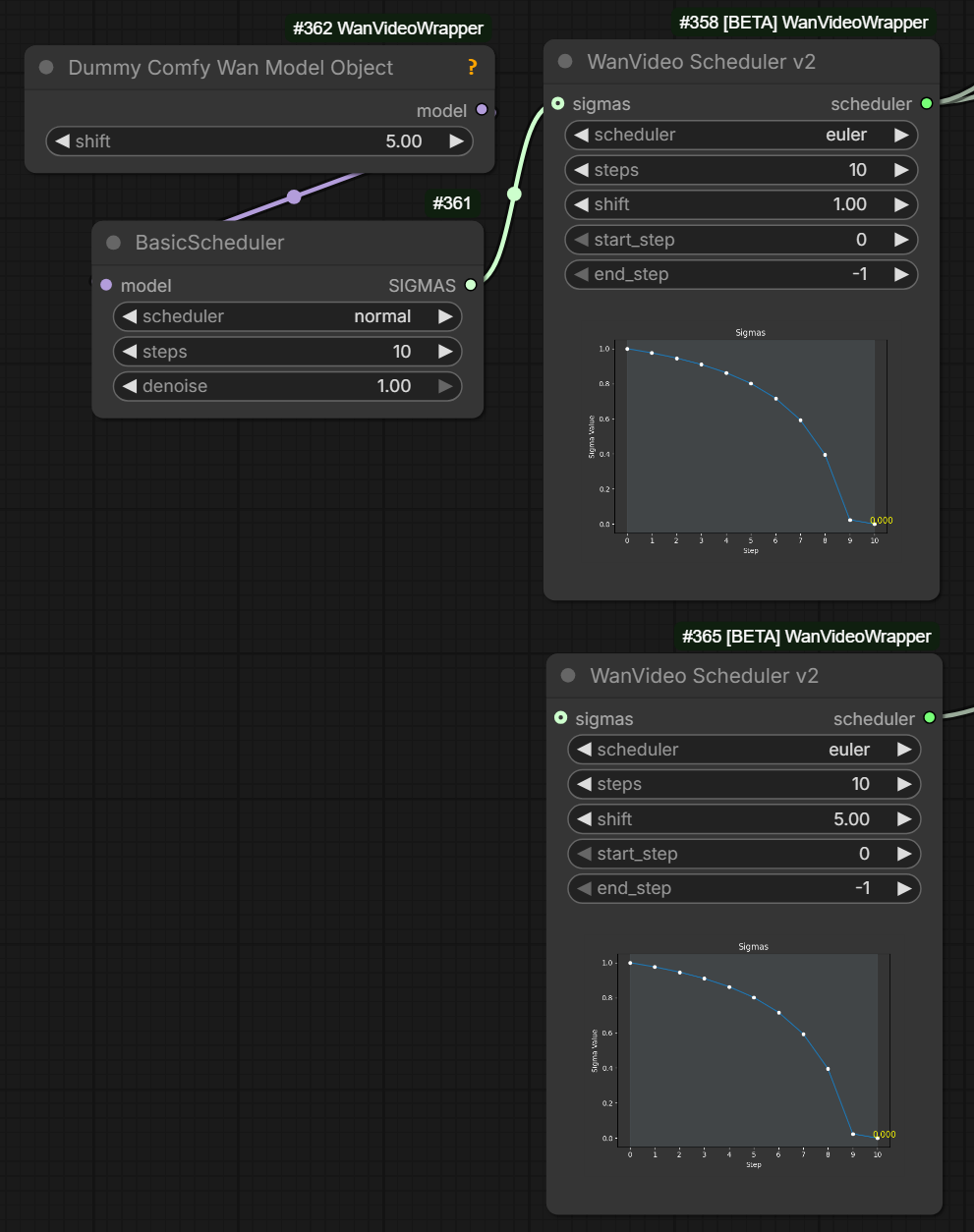
Note that top scheduler on this image has got sigma schedule coming via sigmas noodle input from native nodes on the left
completely overriding the sigma schedule that WanVideo Scheduler v2 would have computed
from its own settings.
In the image the setting match but that doesn’t matter. Apparently this is a standard behavior in ComfyUI. For exampple in ClownShark sampler sigma schedule coming via noodles overrides settings on the node in the same way.
With this knowlege one can appreciate that the image actually shows a comparison between
- the sigma schedule generated by
BasicSchedulerfor “euler/normal” with 10 steps and a shift of 5.0 (top of the image, other native nodes behave the same way) - the sigma schedule generated by
WanVideo Scheduler v2foreulerwith 10 steps and a shift of 5.0 (bottom of the image, other Wrapper nodes behave the same way)
As you can see both are identical. WanVideo Scheduler v2’s ability to visualize the sigma schedule on a chart is very handy.
Comment on an intrinsic link between sampler (“euler”) and schedule (“normal”):
from an ODE solving perspective separating sampler and scheduler makes no sense; it’s like you have a very timing sensitive algorithm And then you separate the timing control out
What this means is that algorith and sigma schedule (sampler/scheduler) need to be always setup in a coherent manner.
Some of the nodes WanVideo Scheduler v2 being one of them and ClownShark nodes the other
set both together, as actually does Automatic111 UI.
This even leads to a terminological mixup between these two terms with “scheduler” and “sampler” sometimes used almost interchangeably to refer to the same thing.
2025.12.13 Part B
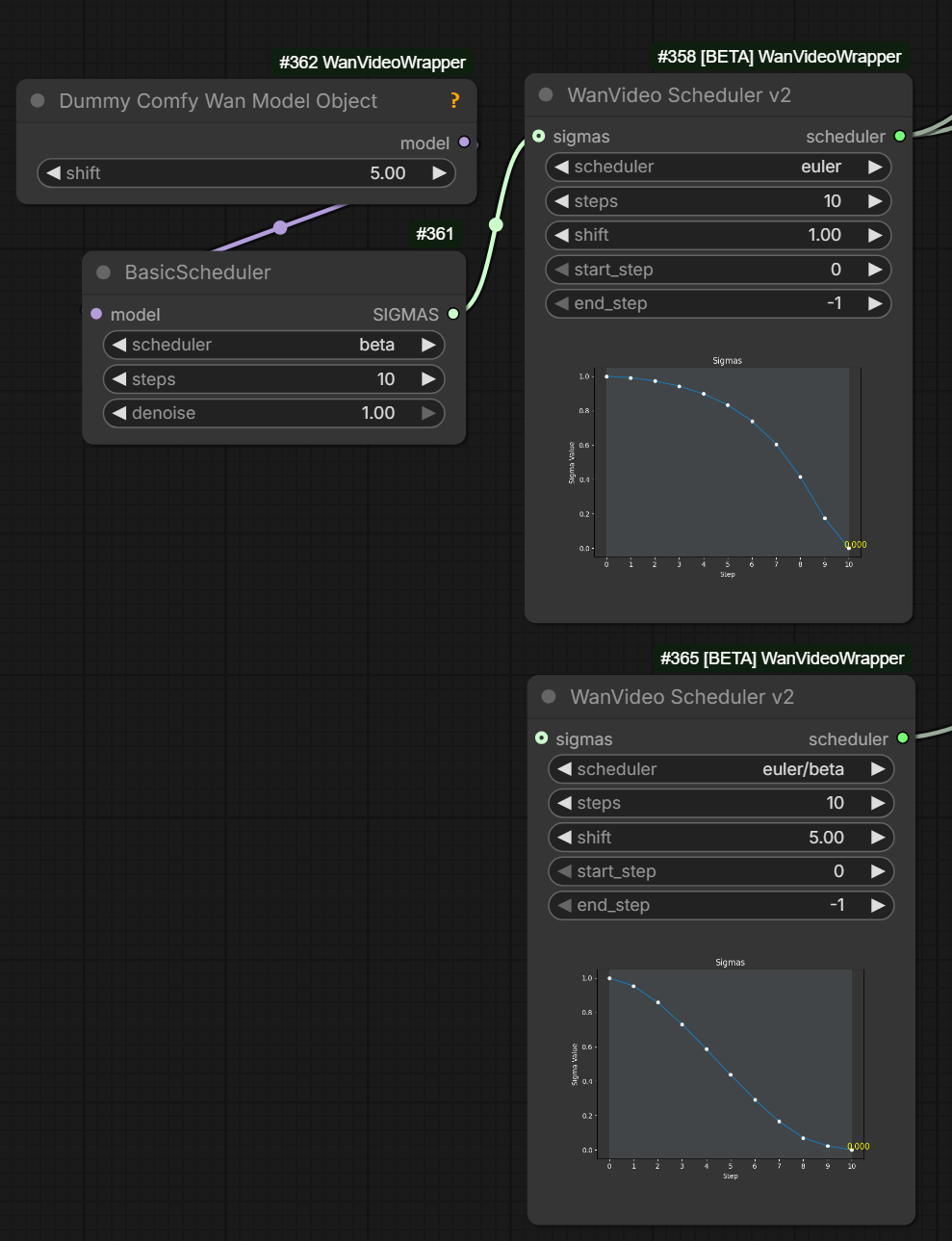
Scheduler “beta” works very differently in Wrapper and in Native
in diffusers [and in wrapper?] beta sigmas are applied after shift, while in comfy it’s other way around
Intro
What the hell is a sigma schedule?!
Nodes For Working With Sigmas In Kijai’s Wrapper
WanVideo Sigma To Step
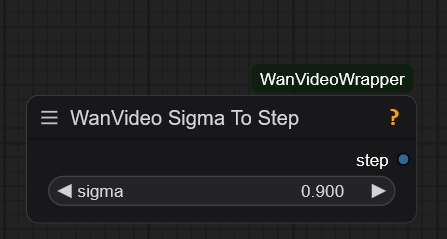
WanVideo Sigma To Step is a slightly confusing node.
It allows you to set a floating point value on the node itself such as 0.9 or 0.875.
The value then becomes availabe on node’s output.
However that output is intentionally “mislabelled” as being an integer.
This allows you to plug it into end_step on WanVideo Sampler.
WanVideo Sampler is coded to detect this kind of “mislabelling”
and behave in a special manner in response: it then
converts the floating value it received into an appropriate end_step number.
This kind of automated end_step computation is mostly useful when the number of steps is large,
e.g. when sampling without lightx LoRA-s. If you are using lightx or similar LoRA-s
you typically know in advance that you’re going to perform 2 + 2 or 3 + 3 or possibly 4 + 4 steps.
You still want to make sure that the switchover from high to low noise sampler happens
at the correct sigma but your main control to achieve that then is your shift.
WanVideo Sigma To Step + WanVideo Scheduler
If you additionally want to plot your sigma schedule on a chart and have the computed end_step marked there
you can assembly the following sequence of nodes (note that you need to convert end_step control to a “noodle” input on WanVideo Scheduler):
WanVideo Sigma To Step
      |
      v
WanVideo Scheduler
      |
      v
Preview Any
The reason this works is because there is some additional magic in the code related to intentional “mislabelling” of floating sigma value as an integer:
- if
WanVideo Schedulerreceives a float instead of an integer asend_stepit just passes it through and outputs same floating point number WanVideo Samplerthen interprets it same way as ifWanVideo Step To Sigmawas plugged into it directly
Bonus: WanVideo Sigma To Step with V2 nodes: sigma-to-step-with-v2.
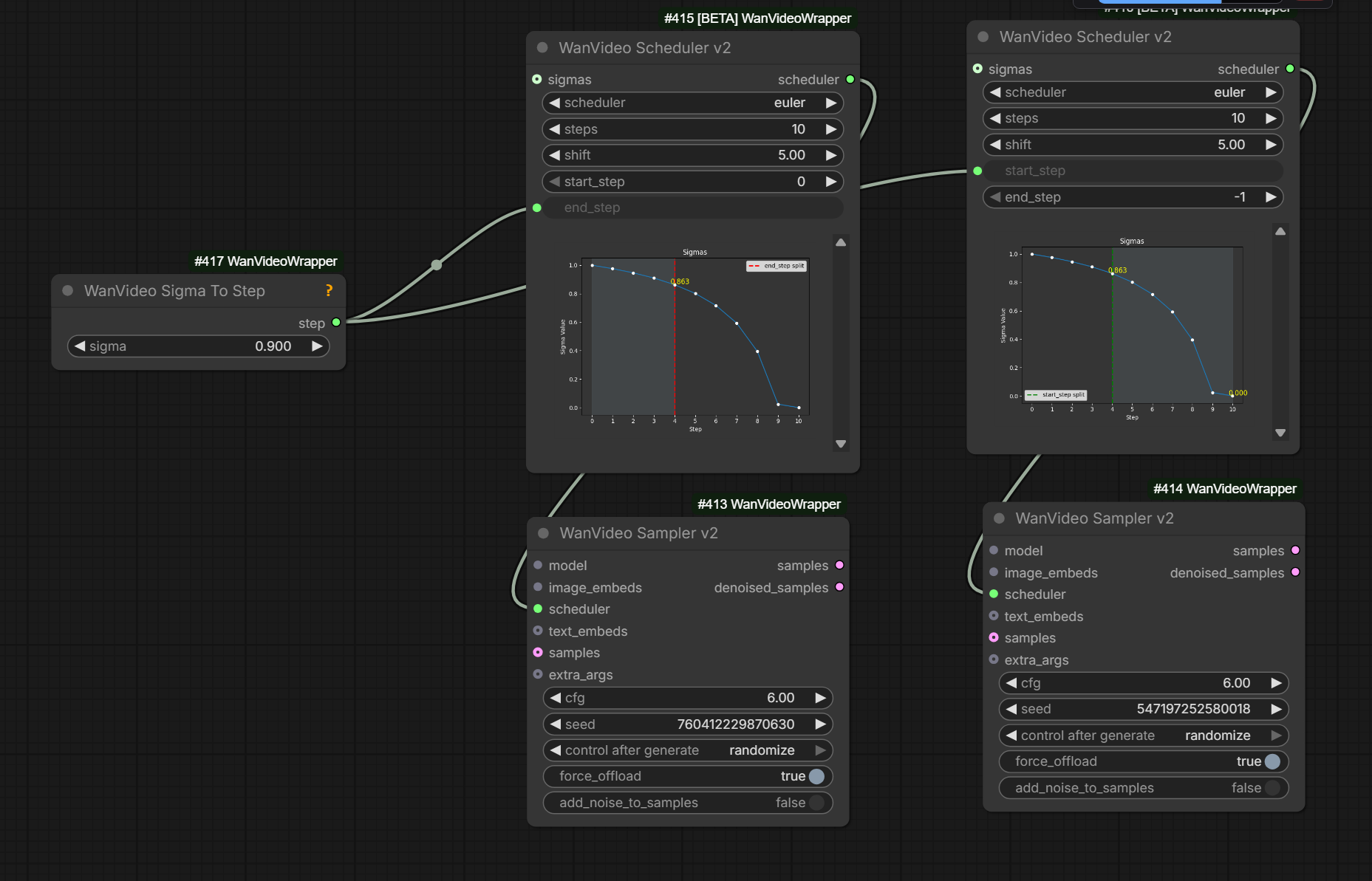
Wiring two WanVideo Scheduler-s into two WanVideo Scheduler-s for Wan 2.2
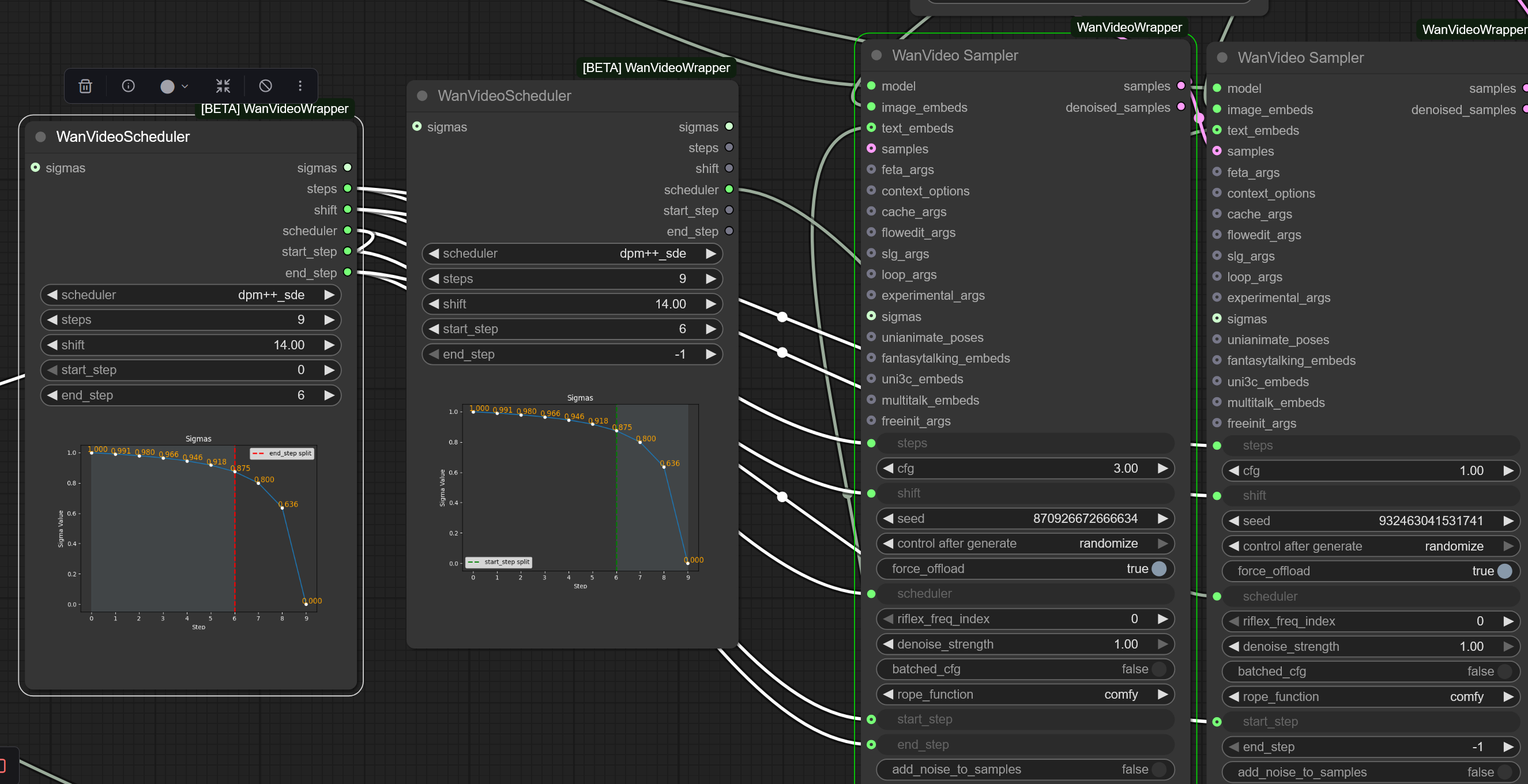
Explanation about WanVideo Scheduler:
you only need to connect the scheduler output, rest aren’t even used but are there so you can connect them to the sampler to indicate those all are controlled by the scheduler node
Native Nodes For Working With Sigmas
- Basic Scheduler
- Sigmas Split Value
- Custom Sampler Advanced
Other nodes you will likely see in the same workflow are
- ModelSamplingSD3 - change shift
- KSamplerSelect
- CFGGuider - split out inputs for Custom Sampler Advanced: model, positive, negative, cfg
- RandomNoise - noise input for 1st WAN 2.2 sampler
- DisableNoise - noise input for 2nd WAN 2.2 sampler
Note: model input on Basic Scheduler in Kijai’s words
just tells the scheduler that this is flow match model, so any wan model will do
E.g. one Basic Scheduler/Sigmas Split Value can drive two Custom Sampler Advanced nodes with diff models.
Can plug Dummy Comfy Wan Model Object -> WanVideo Scheduler -> WanVideo Sampler. Then Dummy Comfy Wan Model Object sets shift. One way to configure linear quadratic.
Wan 2.2 Switchover
Advice on switching from hight noise to low noise model with WAN 2.2
| Model Type | Switchover Sigma |
|---|---|
| I2V | 0.9 |
| T2V | 0.875 |
Other Useful Nodes
String To Float List->Float To Sigmasfacility to specify sigmas directly, can start with a string like1.0, 0.9375, 0.833333, 0.625, 0.000Create CFG Schedule Float List- not sigma but often set in the same part of workflow.Preview Any- easy to way to check output from the two above mentioned nodesGet Sigmafrom GH:BlenderNeko/ComfyUI_NoiseBetaSamplingSchedulermore control over Beta sigma schedule